 Spend by Product Exec
 Ask in plain words. Get the right method, coding and supplier.
Anyone can describe what they need on the web, by email or in Microsoft Teams and get a draft request with catalog items, coding and the procurement method your policy requires. Approved requests become purchase orders against contracts, catalogs or punchout, with budgets checked and encumbered along the way.
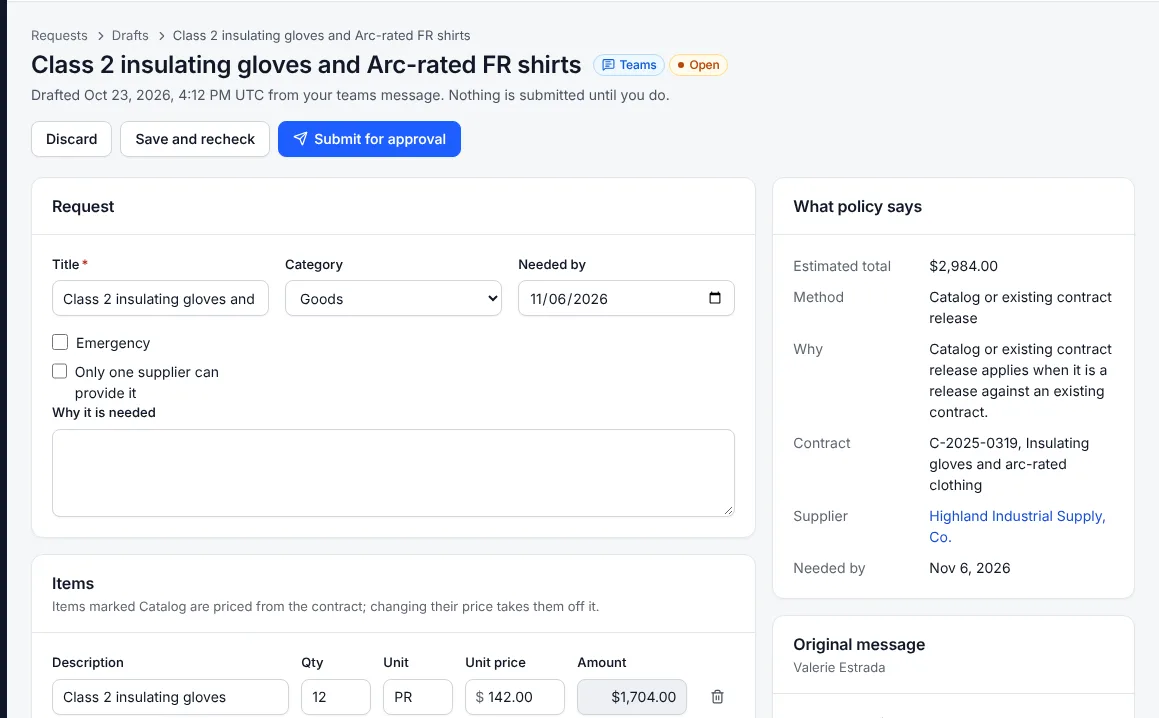
Plain-words intake
Requests from the web, email or Teams become drafts with catalog items priced from the contract, coding and the method, each explained.
Policy picks the method
Micro-purchase, quotes, formal bid, RFP, cooperative contract, sole source or emergency, from thresholds in your policy pack, with the reason stored.
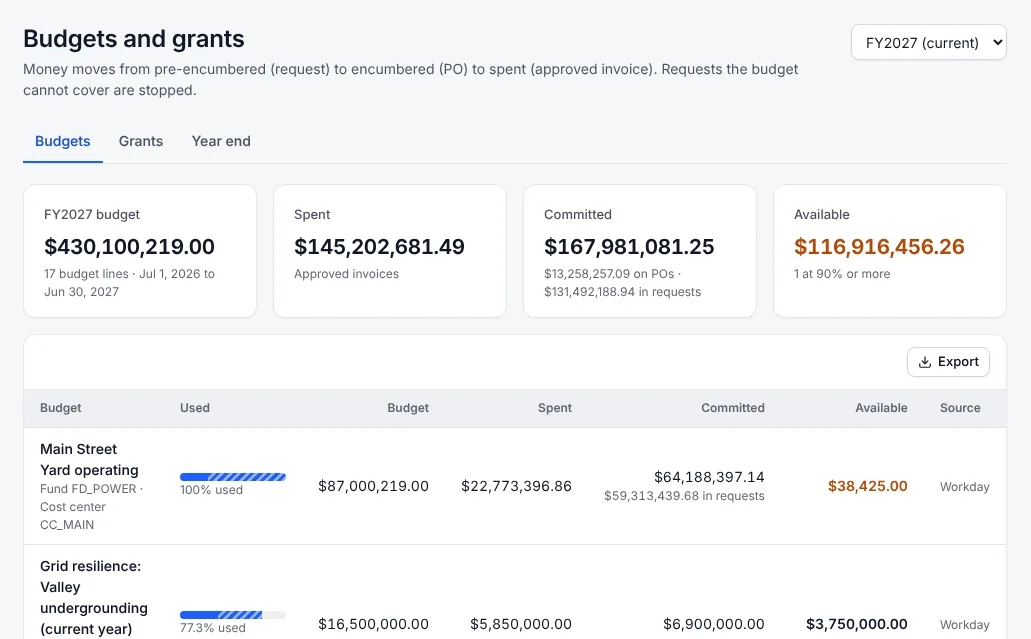
Budget control
Requests pre-encumber, POs encumber and invoices liquidate. Hard control stops what the budget cannot cover; soft control sends it to review.
Request to PO
Request to PO
Takes approved requests that can be ordered directly: finds the contract, catalog price or supplier, checks the supplier can be paid, and proposes the purchase order for a buyer to issue.
Buyers decide
What requests and purchasing does
Request to PO agent
Finds the contract, catalog price or supplier for each approved request, checks the supplier can be paid and proposes the PO for a buyer to issue.
Catalogs and punchout
Items on executed contracts with contract prices, and cXML punchout to supplier sites.
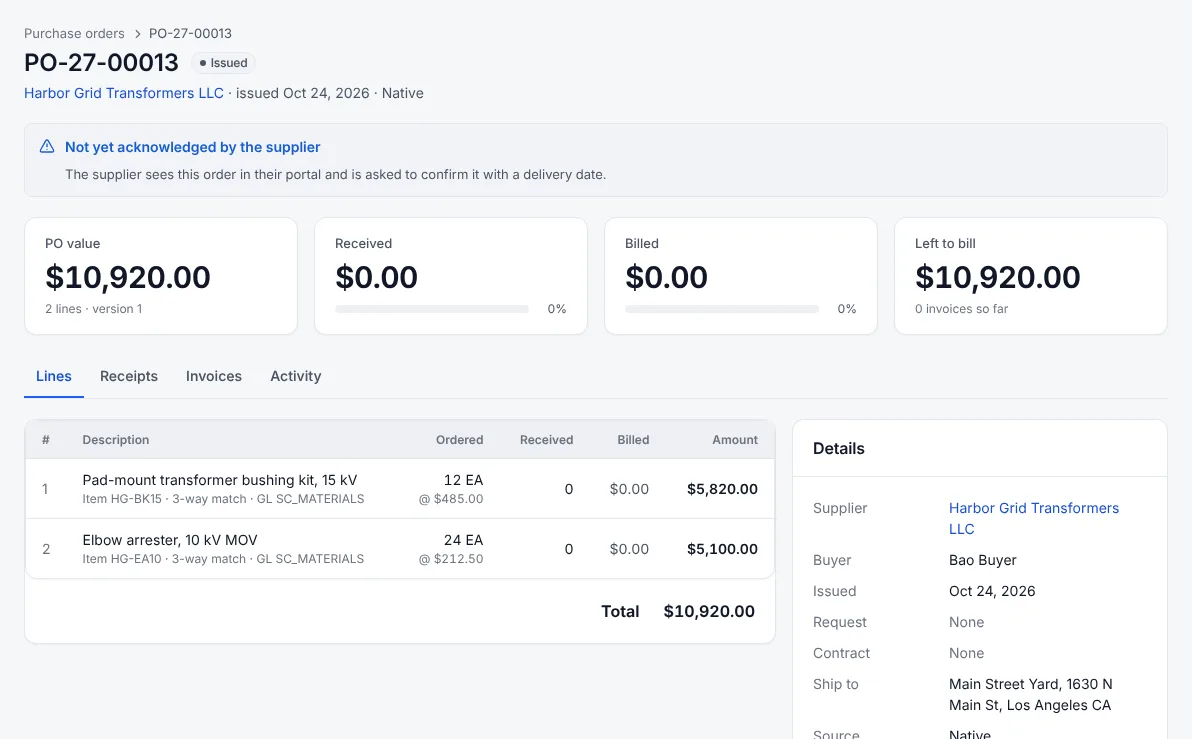
Purchase orders and receipts
POs with supplier acknowledgment, receipts with inspection, returns, and change orders that go out to the ERP.
IBM Maximo
Work-order requisitions come in from Maximo; POs and changes go back; storeroom receipts and returns are read.
Budgets and grants
Budgets by fund, cost center, project and grant from Workday Budget vs. Actual or EBS GL balances. Grants track period of performance, expended, committed and drawdowns.
Year-end rollover
Carry open commitments into the new fiscal year or let them lapse, in one step.
Approvals by position
Chains routed by role, manager or org-chart seat, with vacant seats, out-of-office delegation, reminders and escalation.
A closer look
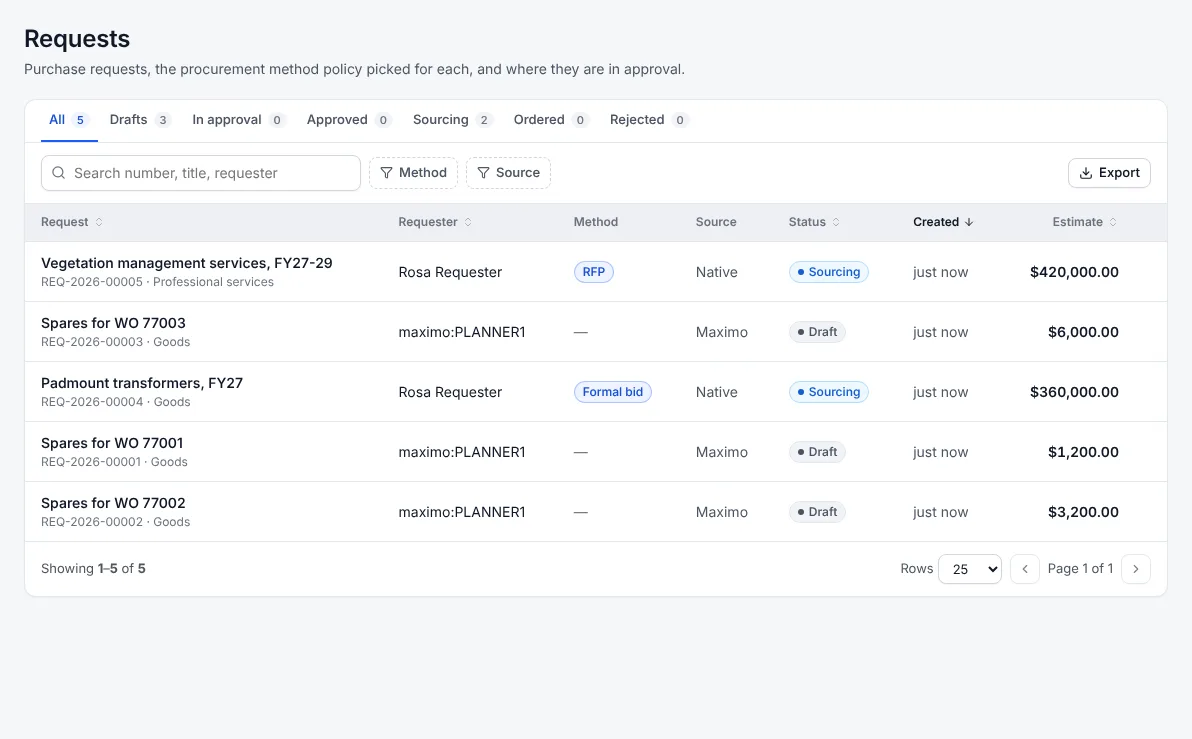
Jobs it takes off your plate
Request in plain words
On the web, by email or in Teams, and get a complete draft with the method chosen.
Order from contracts and catalogs
Contract prices, punchout and the request to PO agent for direct orders.
Control budgets and grants
Pre-encumber, encumber and liquidate against Workday or EBS budgets; track grant drawdowns.
Bring Maximo work orders into purchasing
Work-order requisitions in, POs out, storeroom receipts back.
See it on your own invoices
We run a bake-off on a sample of your real invoices and connect to a sandbox of your ERP, so you can judge the results before you sign anything.